
Want to understand how new and returning customers contribute to your campaigns? With SARAL’s New vs. Returning Insights, you can easily track customer behavior and make smarter marketing decisions.
Here’s how to Access the Insights:
Go to Settings
Performance
Toggle on the “New vs Returning Insights” option
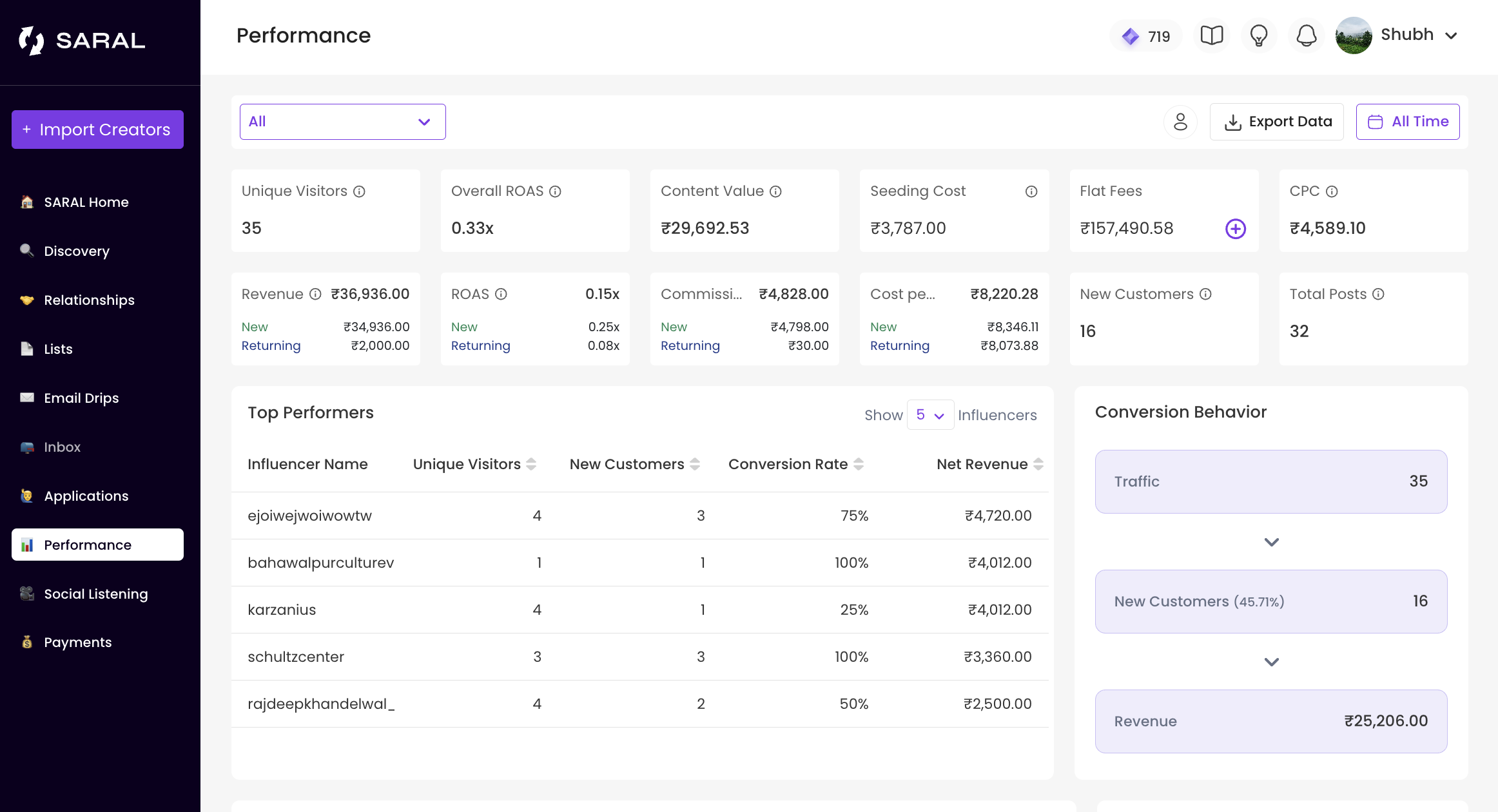
Once enabled, your Performance dashboard will display key metrics and appear as follows:
Analyzing the Data
New Customers: First-time buyers who are discovering your brand.
Returning Customers: Loyal shoppers making repeat purchases.
You can view segmented data for:
Revenue: See which group contributes more to your overall sales.
ROAS: Evaluate the performance of acquisition-focused campaigns versus retention-focused campaigns to determine which drives better returns.
Cost per Sale (CPS) and CPC: Track the cost efficiency for each segment.
Generated Commissions: Measure the commissions earned from both new and returning customers.
Using these Insights to Optimize your Campaigns
Leverage the New vs. Returning to focus your campaigns on areas where they’ll be most effective, making adjustments as needed to optimize results.
Still need help?
Reach out anytime with our helpful Support team using the button at the bottom-right corner of your dashboard, or email us at [email protected].