
Once an email drip campaign is created and launched, you cannot directly edit or remove the originally selected lists. But don’t worry — there’s an easy way to add or remove lists (or specific influencers) to grow or refine your audience while your campaign is running.
Here’s how you can do it:
Removing a List or Specific Influencers from a Campaign
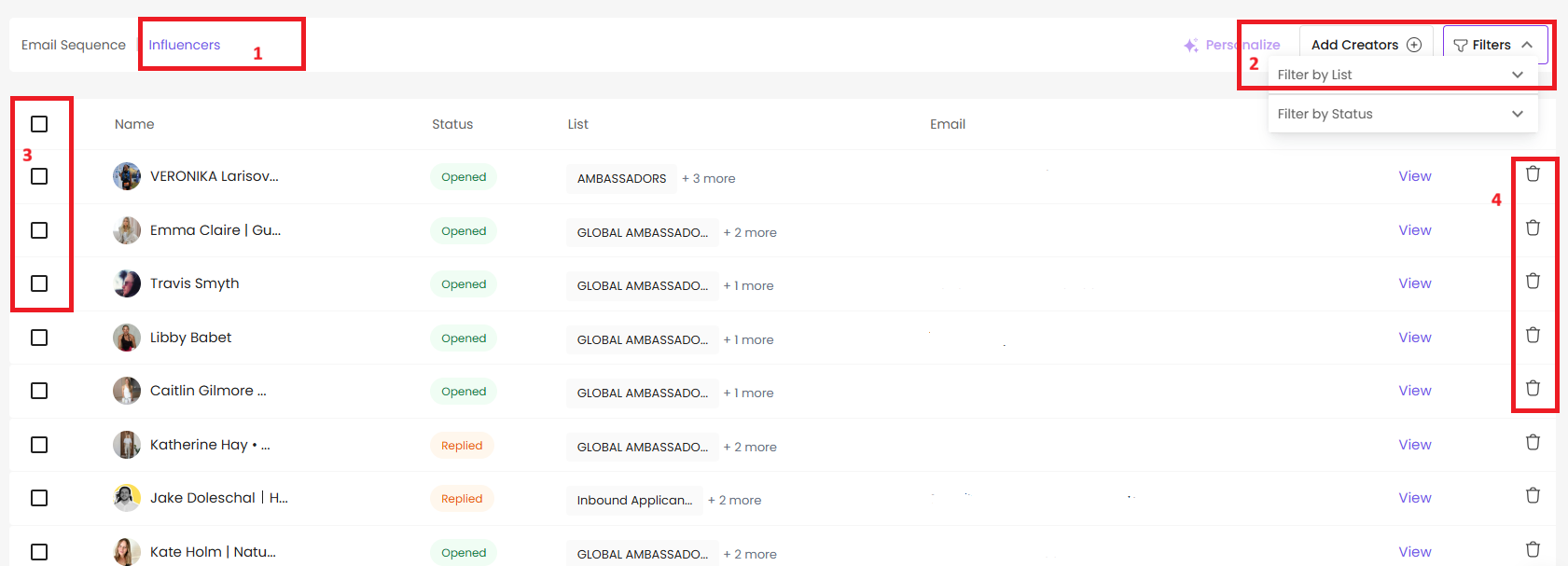
Go to Email Drips and open the campaign you want to update.
Navigate to Influencers > Filters > Filter by List — this lets you narrow down to the list you want to remove.
Select the influencers you want to delete:
To remove the entire list, check the box at the top to select all influencers in the campaign.
To remove specific creators, check only the boxes next to their names.
Click the Delete icon.
The selected list or influencers will be removed from the campaign immediately.
Adding a New List or Specific Influencers to a Campaign
You can easily add additional lists or influencers to expand your current campaign audience without changing the original lists.
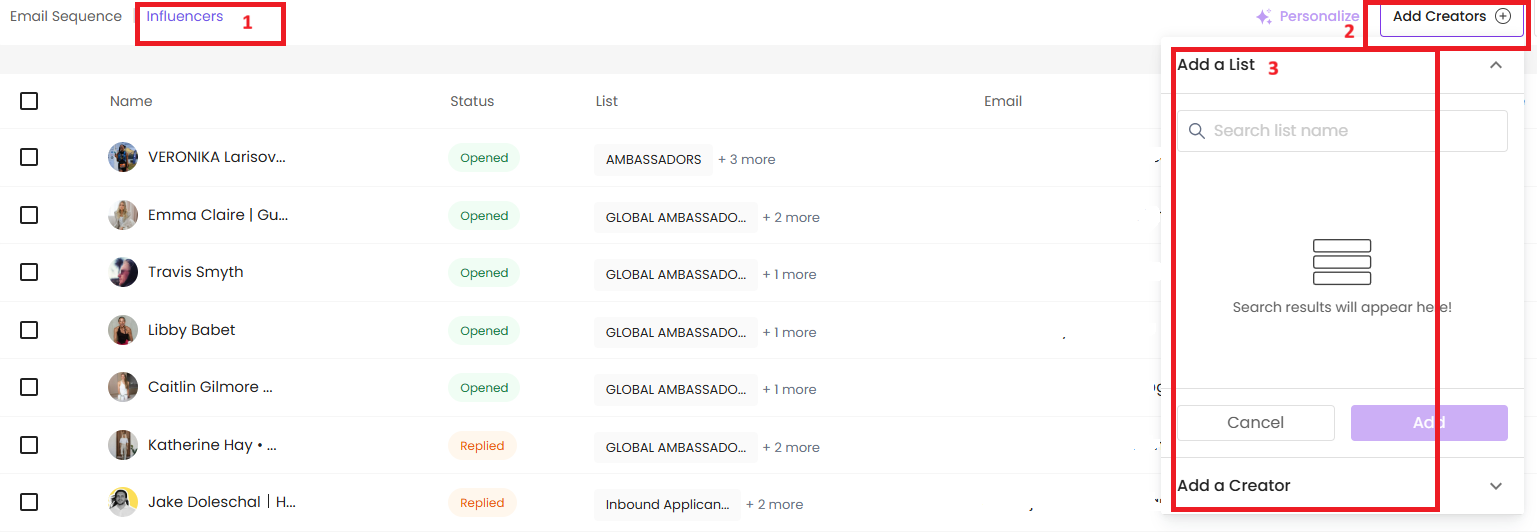
Go to Email Drips and open the campaign you want to update.
Navigate to Influencers > Add Creators > Add a List or Add a Creator.
Still need help?
Reach out anytime with our helpful Support team using the button at the bottom-right corner of your dashboard, or email us at [email protected].