
Expanding your Influencer marketing strategy is now easier with the option to add non-social creators such as bloggers, podcasters, writers — individuals who connect with loyal, niche audiences through their unique platforms.
Here’s how to add them:
Go to the Relationships Tab
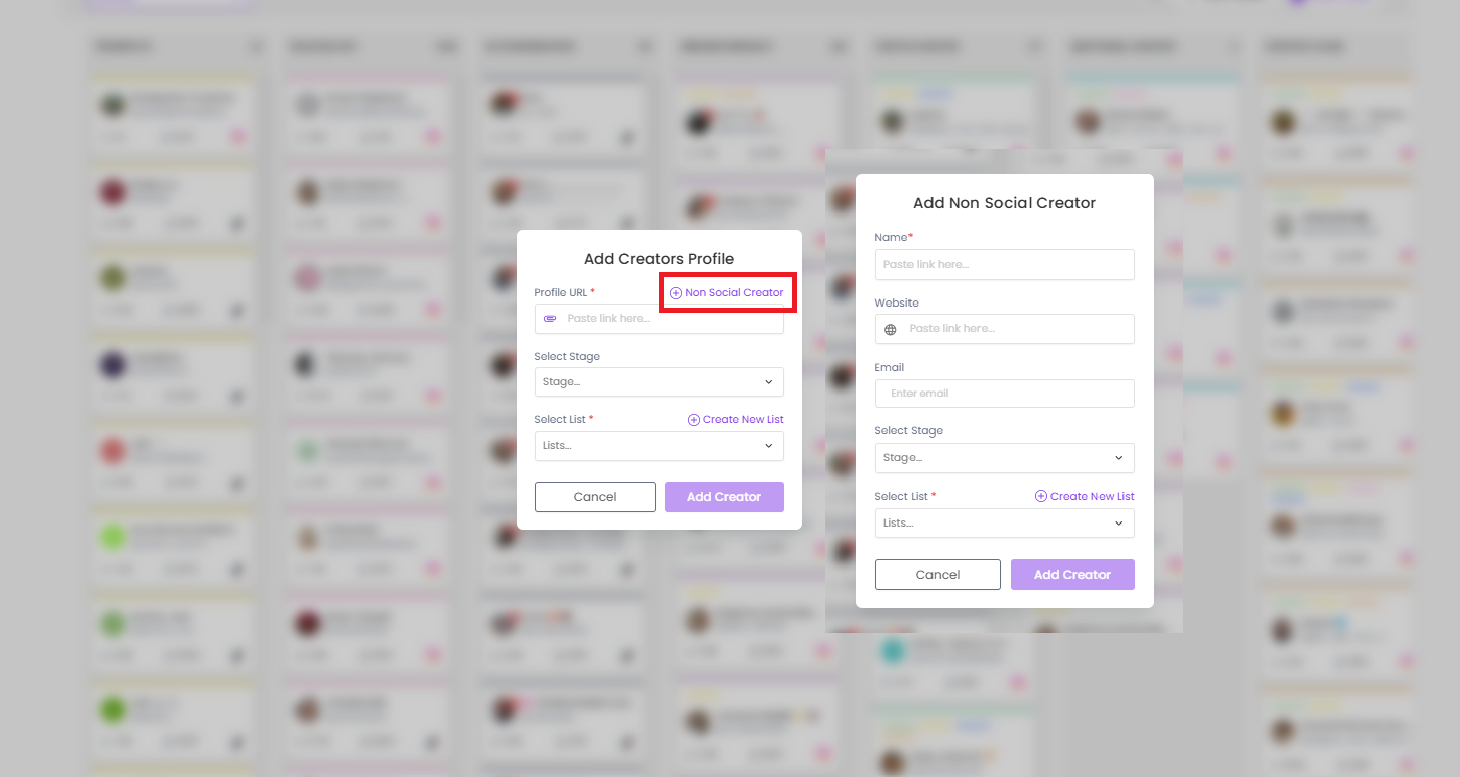
Click on Add Creator
Select Non-Social Creator
Fill in the Details: Enter the creator’s name, website, email, and other relevant details.
Choose the appropriate stage or list to categorize the creator.
Don’t forget to hit Save
This feature helps you manage all your partnerships—social and non-social—in one place, making it simple to track and collaborate effectively.
Still need help?
Reach out anytime with our helpful Support team using the button at the bottom-right corner of your dashboard, or email us at [email protected].