
SIA Picks just got sharper.
You can now filter influencer suggestions by follower range, location, and engagement rate, making it easier to spot the right creators faster.
Here is how to filter smarter:
Go to Lists —> SIA Picks
Generate your Lookalike influencer recommendations.
Once generated, click on the filter icon at the top right.
Choose your preferred filters — set a follower range, pick a location, or set a minimum engagement rate.
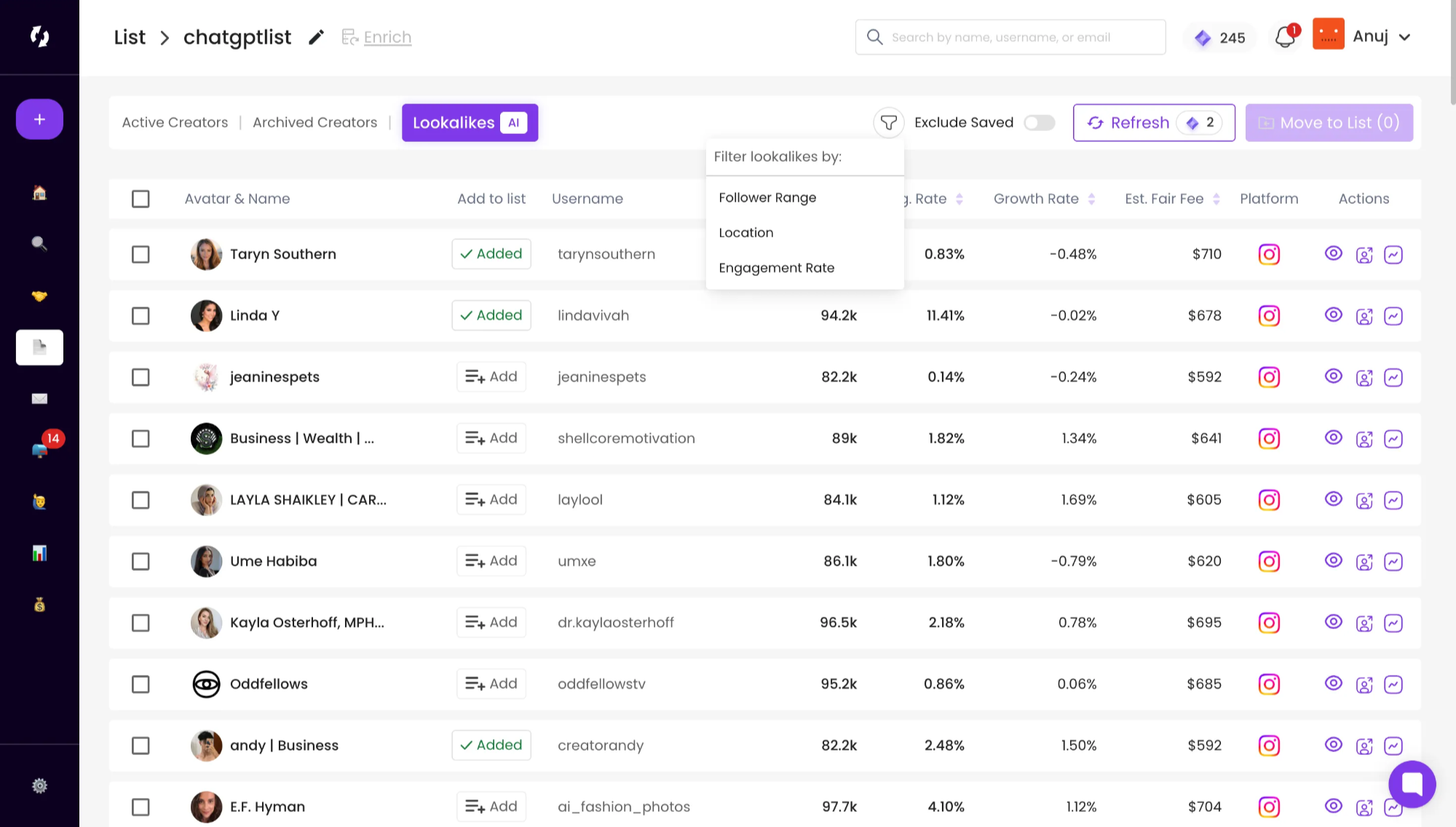
That’s it! Your list will instantly refresh with more relevant, high-performing suggestions.
Still need help?
Reach out anytime with our helpful Support team using the button at the bottom-right corner of your dashboard, or email us at [email protected].