
You may notice that revenue in SARAL doesn’t always match what you see in Shopify. This is expected. SARAL and Shopify measure revenue differently, especially when it comes to attribution, and how sales are reported.
What you see in SARAL:
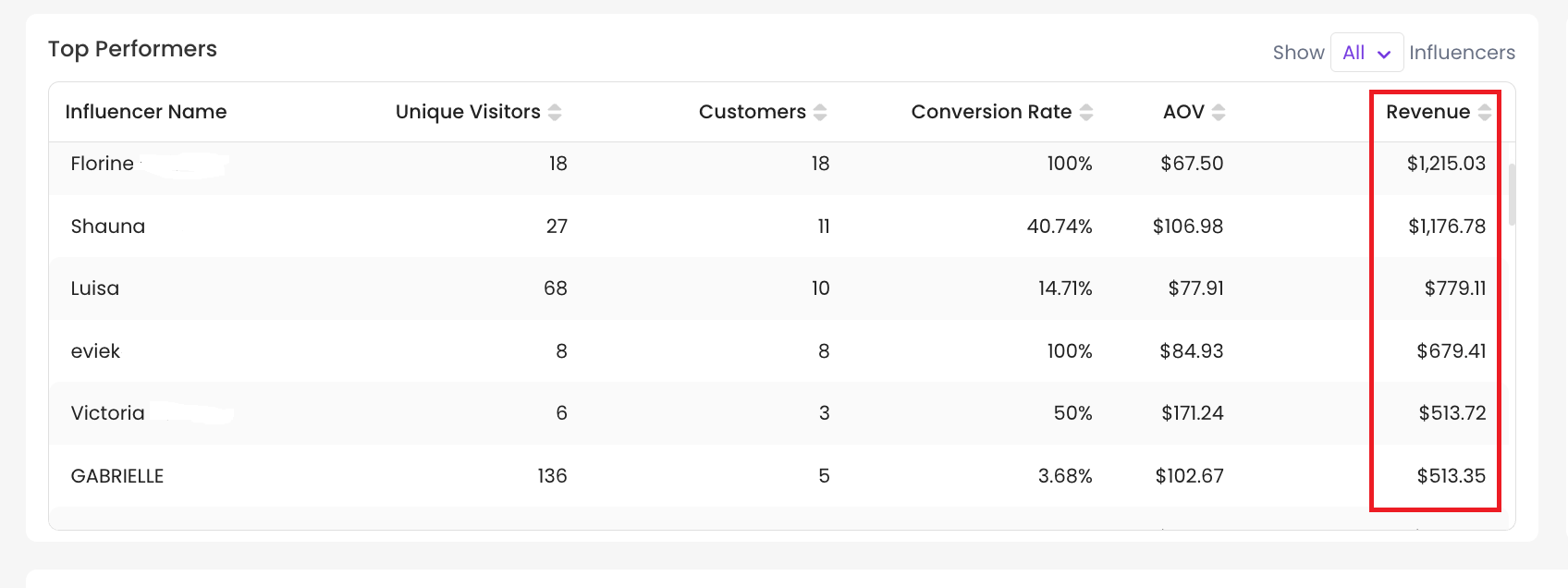
Then, what you see in Shopify:
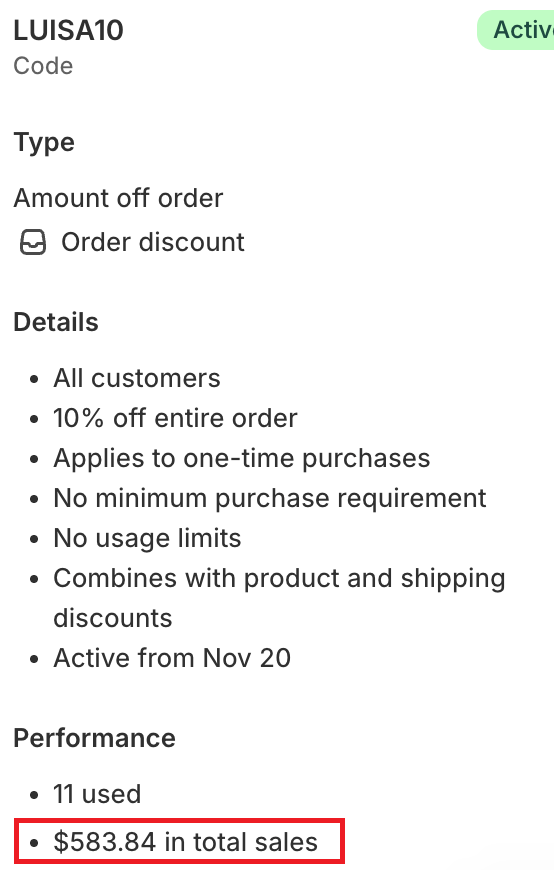
1 — Different Attribution Methods (Link vs. Discount Code)
SARAL attributes revenue based on the affiliate link click. If a customer comes in through an influencer’s link, SARAL will count that sale for that influencer.
Shopify, on the other hand, often attributes sales based on the discount code used at checkout. So:
If a customer clicks an influencer’s link but removes or doesn’t use that influencer’s discount code at checkout, Shopify may not credit the sale to the influencer.
Even though the sale came through the influencer’s link, Shopify will show it as a non‑affiliate sale because the discount code wasn’t used.
Example:
Your store has an automatic 15% discount applied, but the influencer’s code only gives 10%. The customer might remove the code because they’re already getting the bigger discount (15%). Shopify then won’t tie that order to the influencer link, but SARAL will still attribute it to the original affiliate link.
Result:
✔ SARAL can show higher revenue for influencers
✖ Shopify may show lower attributed revenue because it is tracking by discount code usage
2 — Gross Revenue vs. Net Sales
Another key difference is how each platform reports totals:
SARAL shows gross revenue - that’s the total sales value attributed to the influencer before any deductions.
Shopify often shows net sales - meaning the figure can account for returns, refunds, and other adjustments.
That means even when the same orders are counted, the numbers can still look different because Shopify’s reporting reflects returns or discounts already applied.
Still need help?
Reach out anytime with our helpful Support team using the button at the bottom-right corner of your dashboard, or email us at [email protected].