
In SARAL, you can control which discount codes can be combined at checkout. This ensures that your affiliate, products, or shipping discounts behave exactly how you want.
Here’s how:
Go to SARAL Settings.
Navigate to Preferences.
Enable Combine Discount Codes.
Simply check or uncheck the boxes depending on which types of discounts you want to allow.
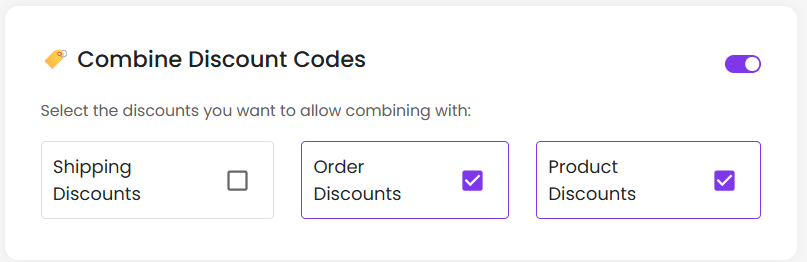
Example Setup:
If you want your affiliate discount (15% off) to not combine with other discounts:
Uncheck all options under this setting
Now, the affiliate discount will apply only to eligible products and cannot be combined with any other discount code or usable on any of your current sale items.
Still need help?
Reach out anytime with our helpful Support team using the button at the bottom-right corner of your dashboard, or email us at [email protected].