
For Influencers:
This feature gives you the flexibility to choose products that fit your style and audience. Instead of receiving random items, influencers get to request what they can actually use for content, while keeping everything visible and trackable in your dashboard.
1— Find Products to Request
Open Influencer Dashboard and go to the new Request Products section.
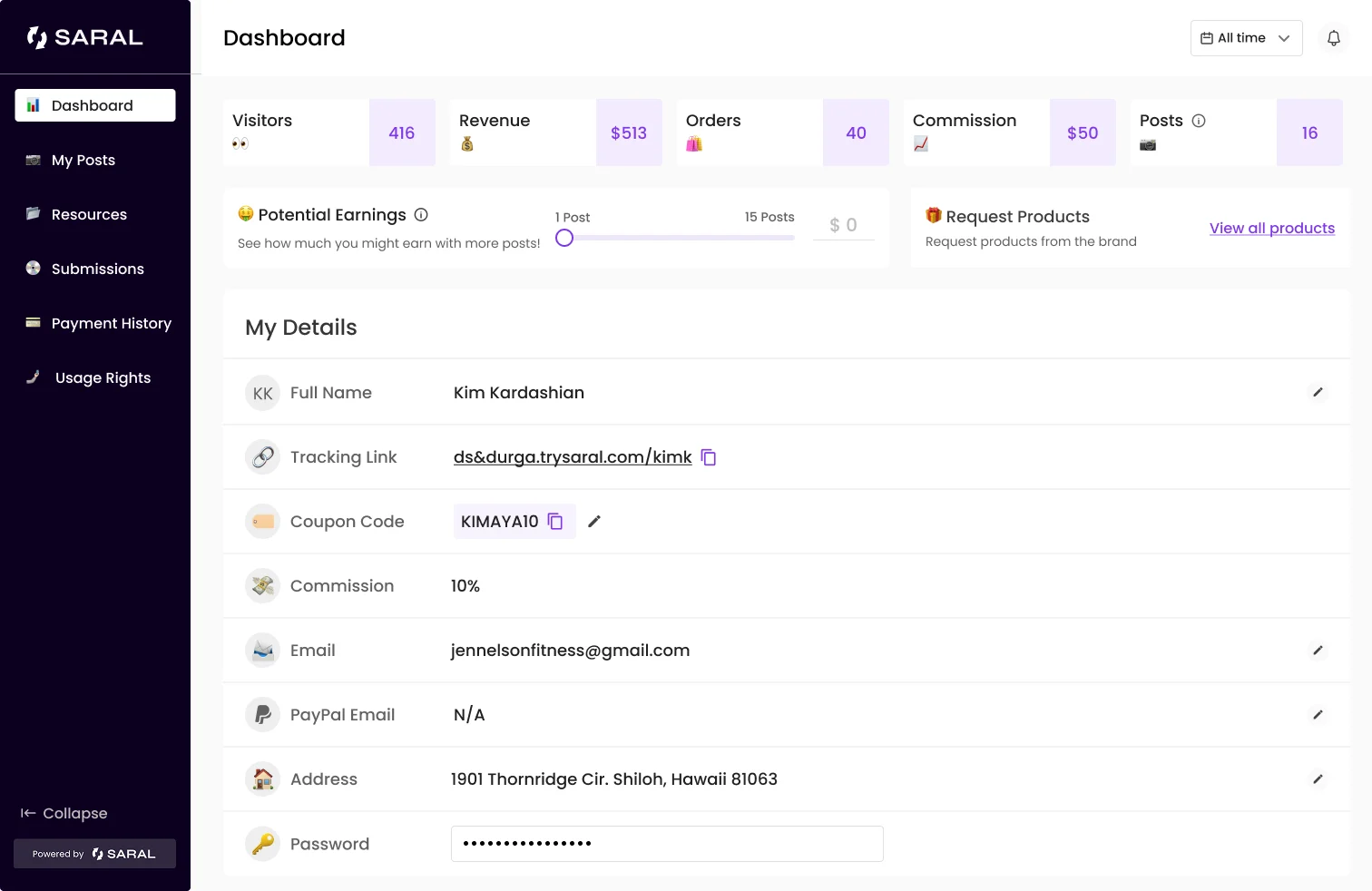
2— Select Products
Browse the available product cards
Open the product modal to choose variants and quantities
Add one or multiple items to your request
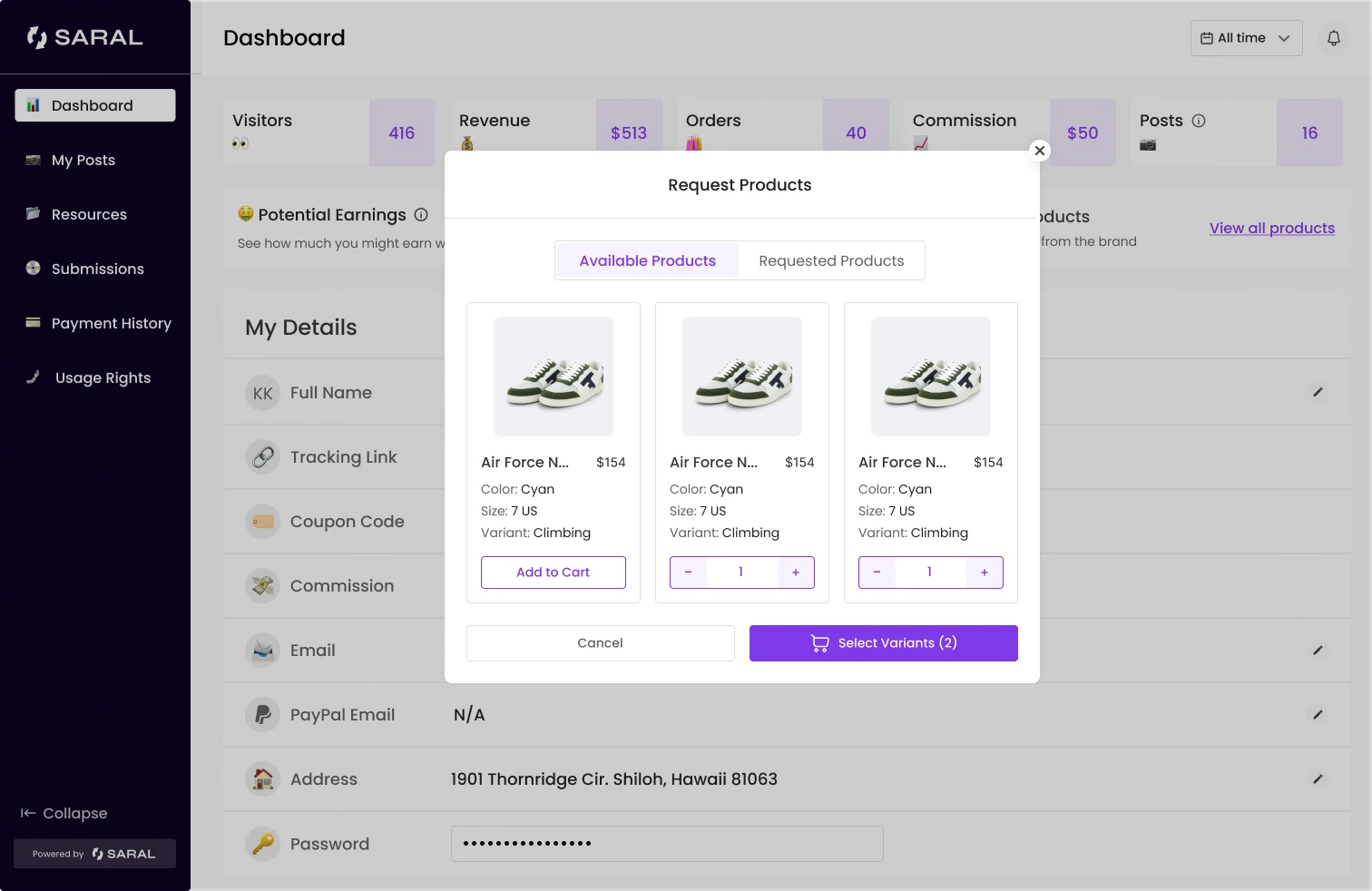
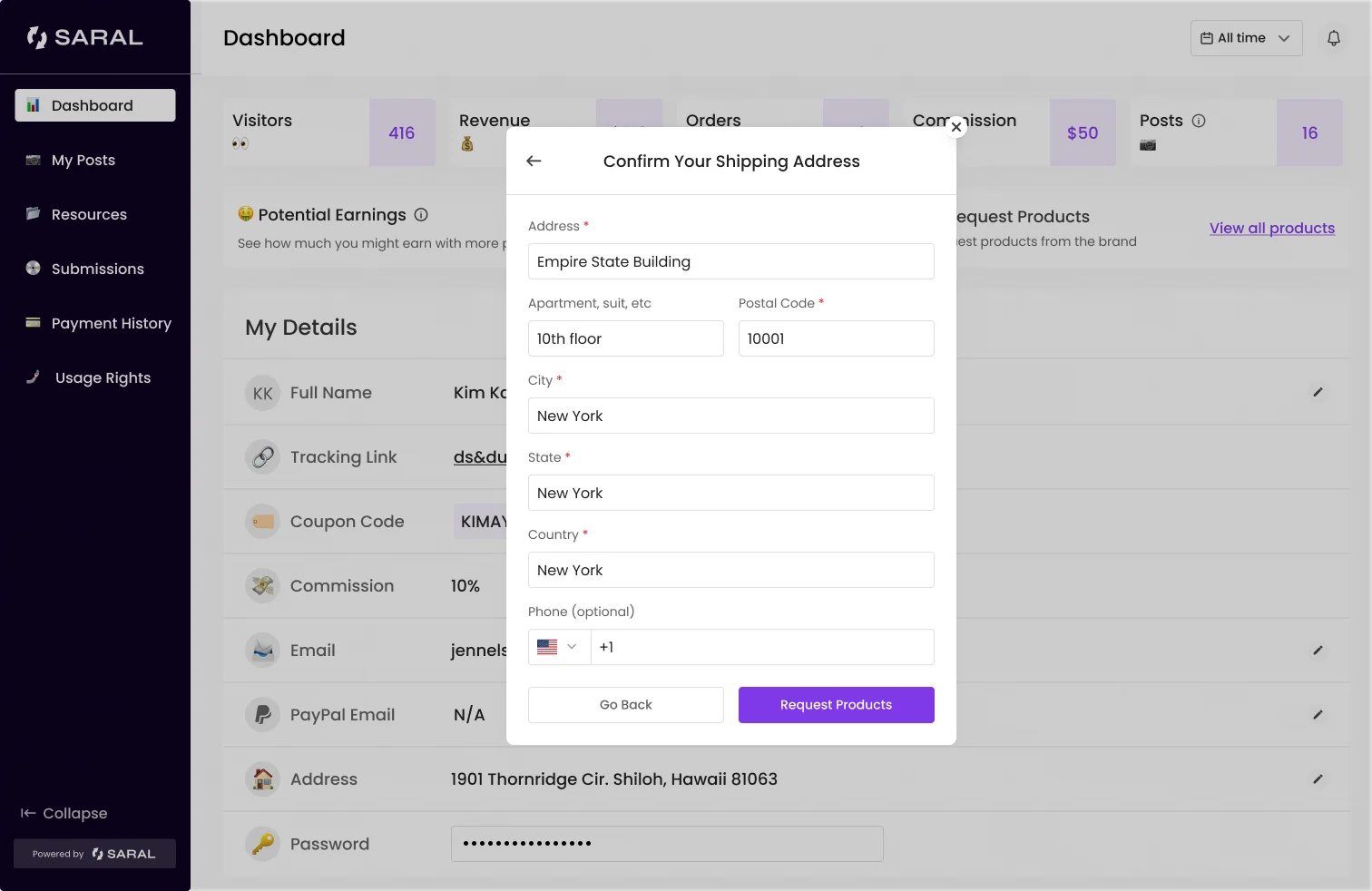
3— Confirm Address & Submit
Update or confirm your shipping address, then click “Request Products”.
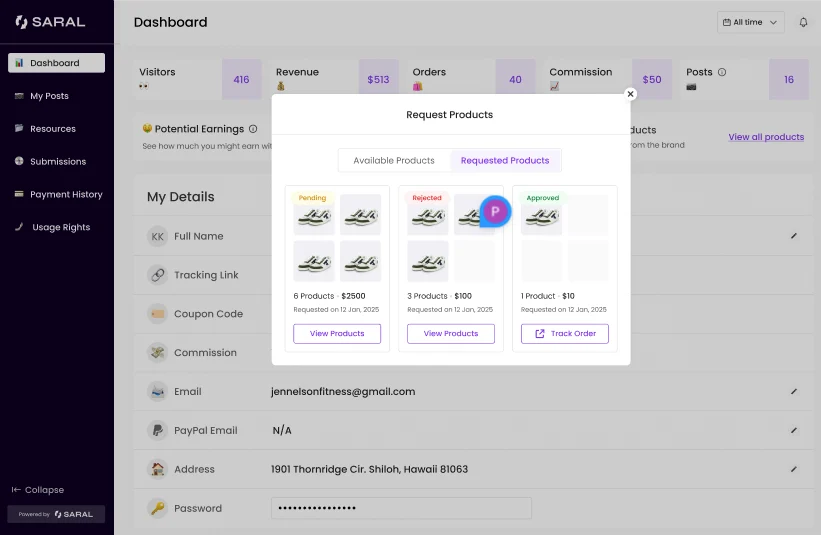
4— Track Your Requests
All requests appear under Requested Products, with live status updates just as shown below. Click on Track Order to check where it has reached.
That’s it!
This feature helps you send product to influencers in your ambassador program easily, without manually doing it yourself.
Still need help?
Reach out anytime with our helpful Support team using the button at the bottom-right corner of your dashboard, or email us at [email protected].