The Analytics tab shows how your tracked content is performing. It combines a set of hero metrics with trend charts, breakdowns, and a creator leaderboard, so you can see not just what content exists, but how well it's working.
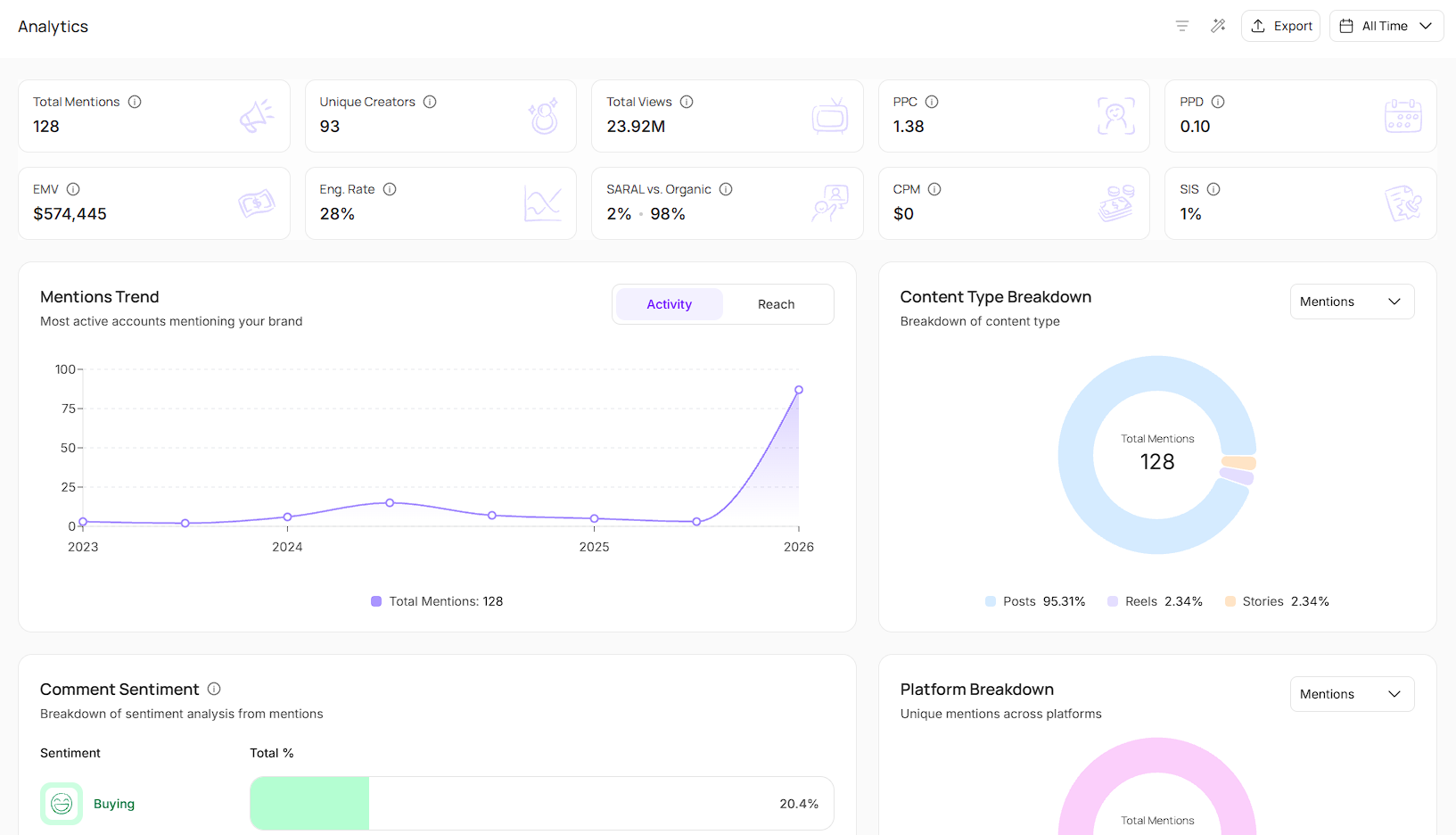
At the top of the Analytics tab, you'll see:
Total Mentions — story, reel, and post mentions combined
Unique Creators — number of distinct accounts mentioning your brand
Total Views — sum of views from all tracked posts related to your brand
PPC (Posts Per Creator) — Average number of posts per creator in the campaign
PPD (Posts Per Day) — Average posts per day over time
EMV (Earned Media Value) — How much you’d have to pay Meta - to get the same number of views. Compare this number with the cost of your campaign to get a sense of efficiency.
Engagement Rate — Average engagement rate of creators who’ve posted about your brand
SARAL vs Organic split — Creators in your SARAL program vs creators who are organic (who you can bring into your program)
CPM — The cost per thousand impressions
SIS (SARAL Incrementality Score) — measures the efficiency of your program against Meta
A timeline of mention activity over time, toggleable between Activity and Reach, so you can see when mentions spiked and why.
A breakdown of your mentions by content type — Posts, Reels, and Stories — shown as a percentage split.
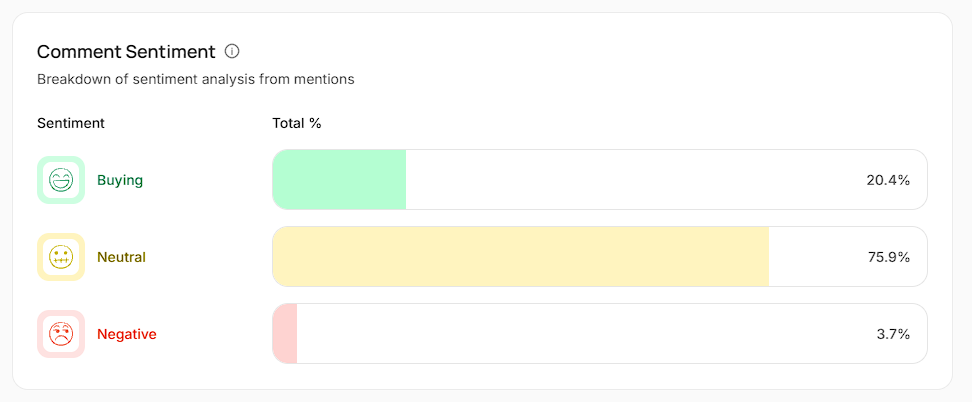
A breakdown of comment sentiment across your tracked content, split into Buying, Neutral, and Negative.
Shows where your mentions are coming from across tracked platforms.
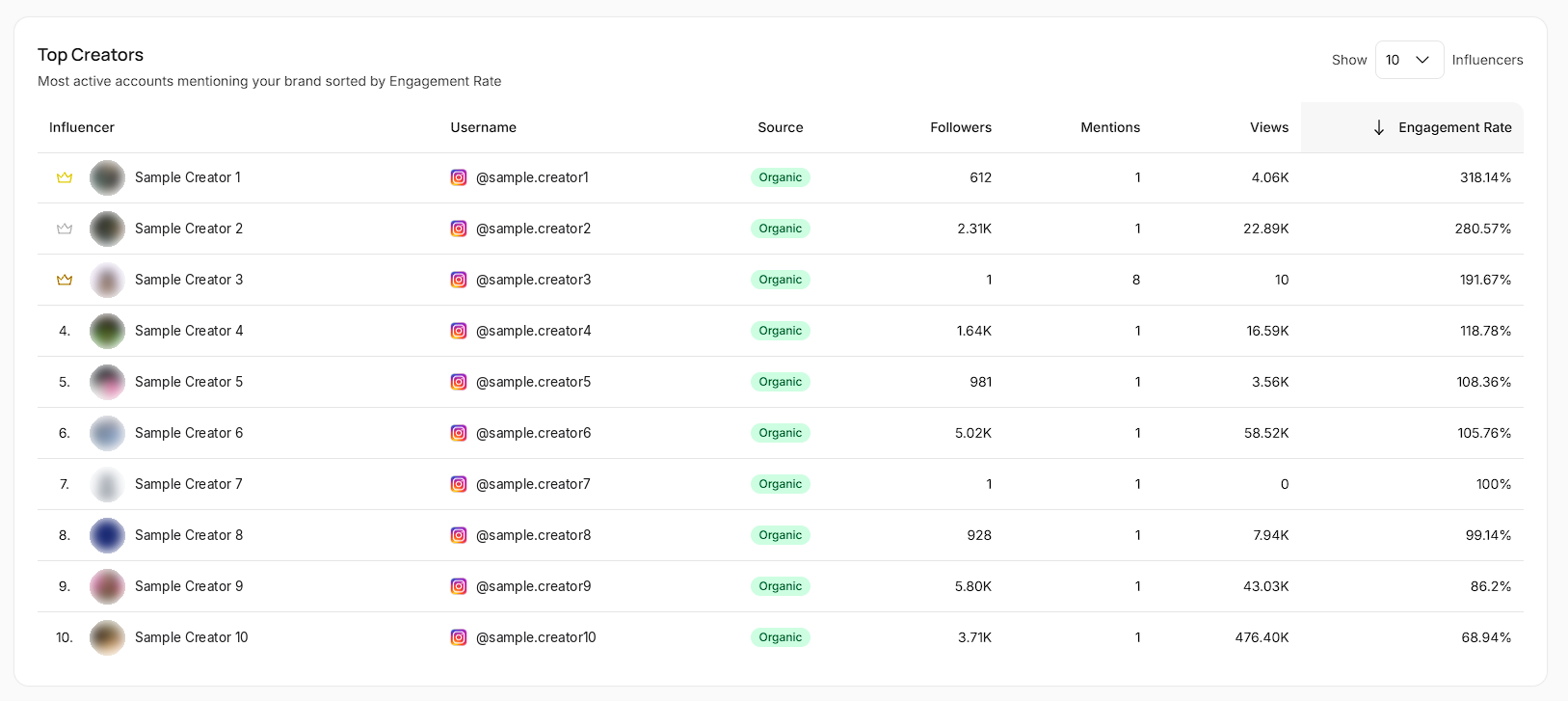
A leaderboard of your most active mentioning accounts. Sort by followers, mentions, views, or engagement rate to see who's driving the most impact.
You can export your Analytics tab data to an Excel sheet at any time.
Click Export Data.
Choose an Export type: Brand Performance or Top Creators.
Choose a Tracked Source: Both SARAL & Organic, Only SARAL Influencers, or Only Organic Influencers.
Set a Date Range, or leave it as All Time.
Click Export Data to download the sheet.
From Customize your Setup, you can manage both the accounts PULSE is tracking and the hashtags it tracks alongside them.
Under Manage your accounts, you can see which Instagram accounts are being tracked and add more with Add More. PULSE tracks all public posts, reels, and stories that mention the selected account.
Under Track Hashtags, toggle hashtag tracking on or off. When it's on, add a hashtag by typing it and pressing Enter, or remove one by clicking its ×.
Still need help?
Reach out anytime to our Support team using the button at the bottom-right corner of your dashboard, or email us at [email protected]