Partnership Ads, also known as Whitelisting, lets you run paid ads from a creator's own account using their tracked content. You request access once from the creator, and once approved, you can build and publish ads straight from PULSE without needing the creator to post anything new.
You can request Partnership Ads access directly from a piece of tracked content.
On any tracked post, open the Request Rights dropdown.
Select Partnership Ads and click Request.
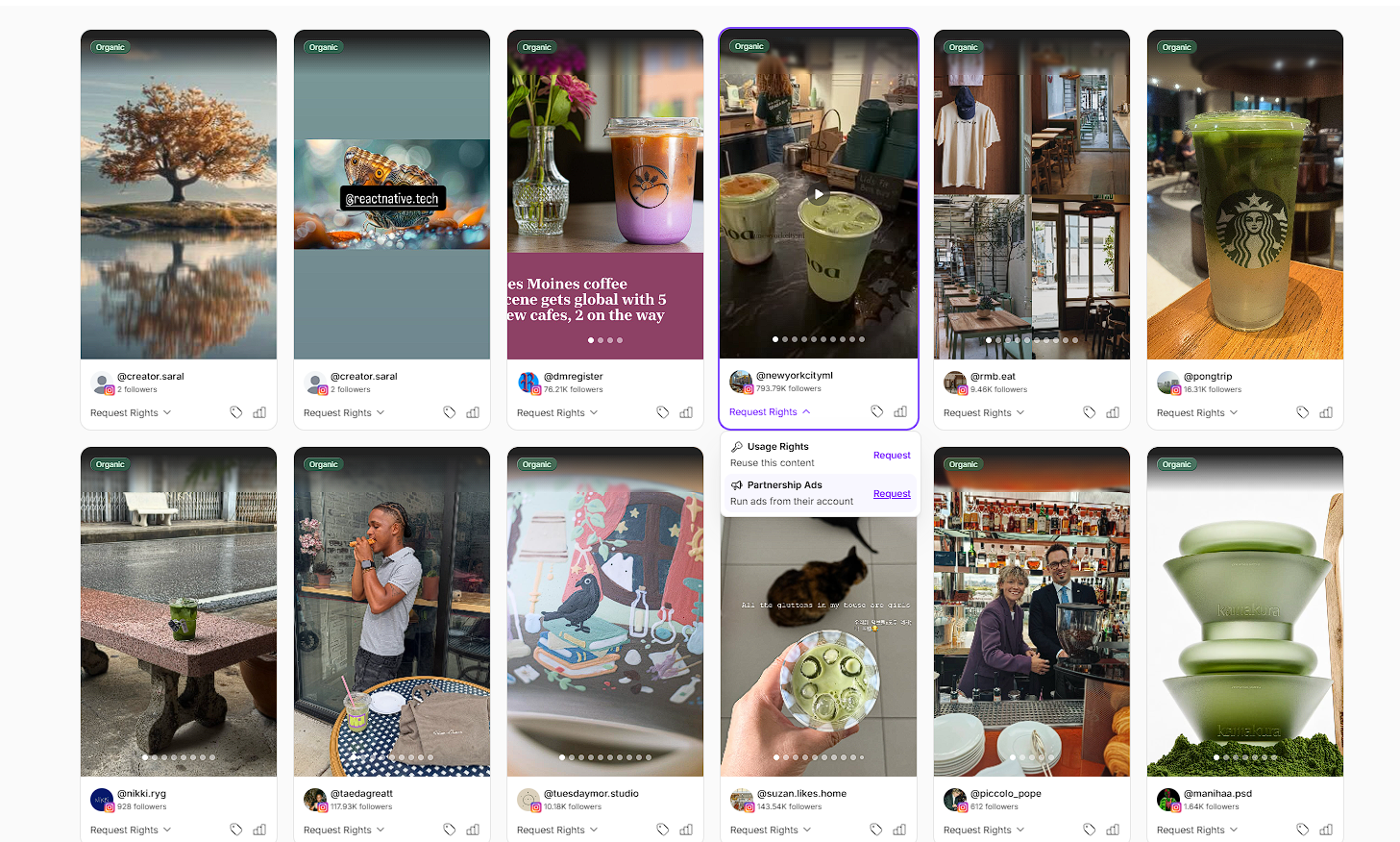
The creator gets an Instagram notification that your brand has requested account-level access for Partnership Ads.
If they accept, you can run ads from their account.
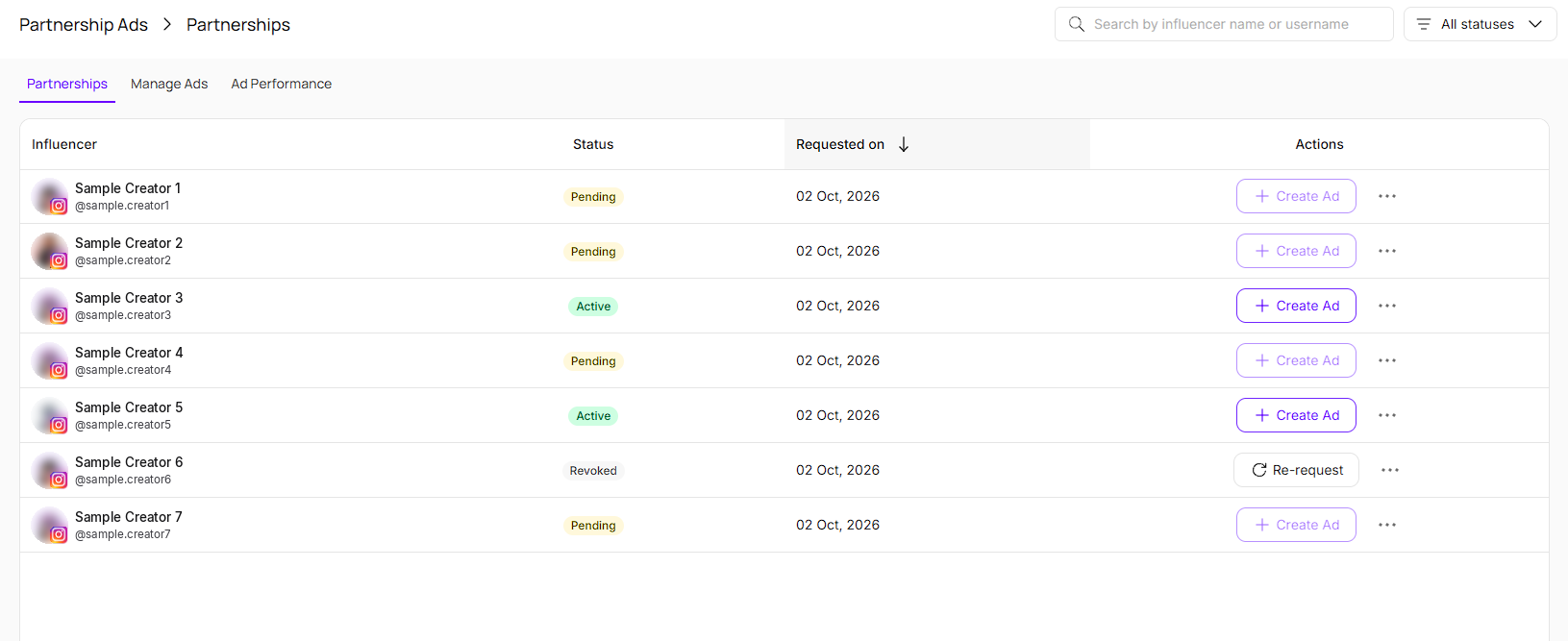
If they reject, you can re-request access later from the Partnerships tab.
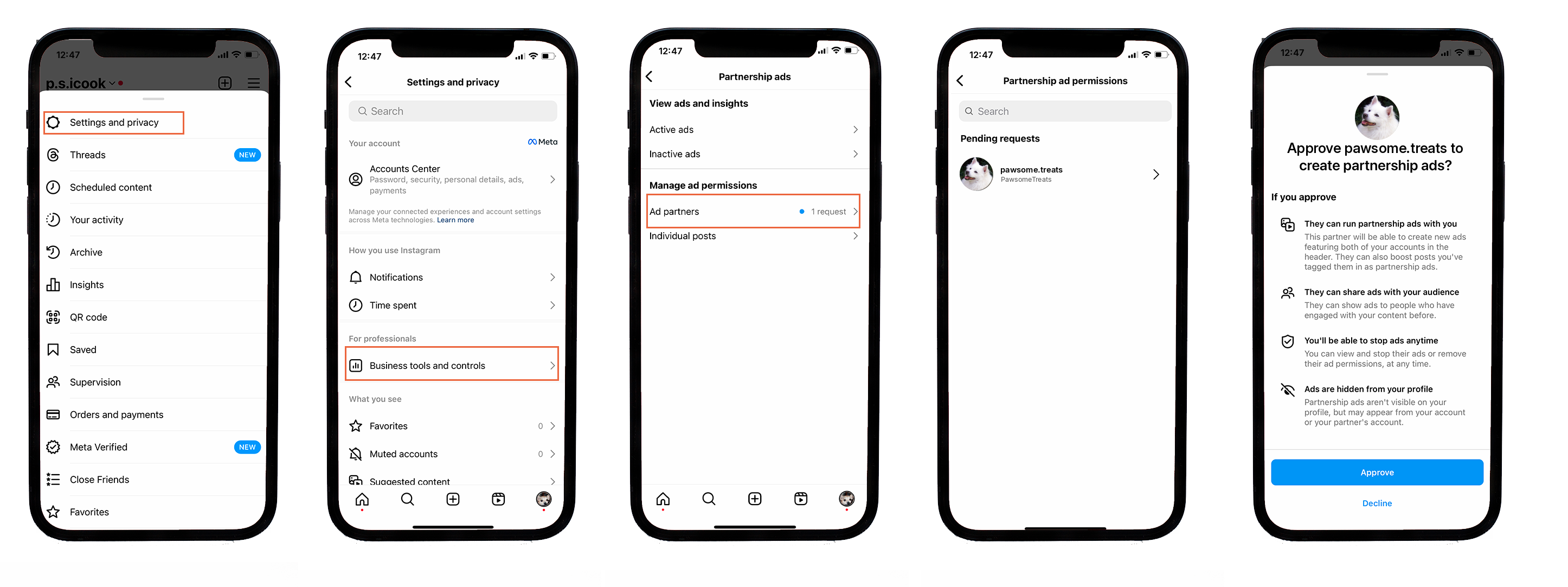

Steps for Creators to Approve Partnership Ads from Settings and Privacy
Open Instagram and tap the menu icon (three horizontal lines) in the top-right corner of your profile.
Select Settings and privacy.
Open Business tools and controls. On a creator account, this is called Creator tools and controls.
Select Partnership ads.
Under Manage ad permissions, tap Ad partners. Any pending requests will be listed here.
Tap the brand that sent you the request.
Review the permissions and tap Approve.
The Partnerships tab lists every creator you've requested Partnership Ads access from, with their status (Pending, Active, Revoked) and when you requested it. Once a creator's status is Active, Create Ad becomes available for them.
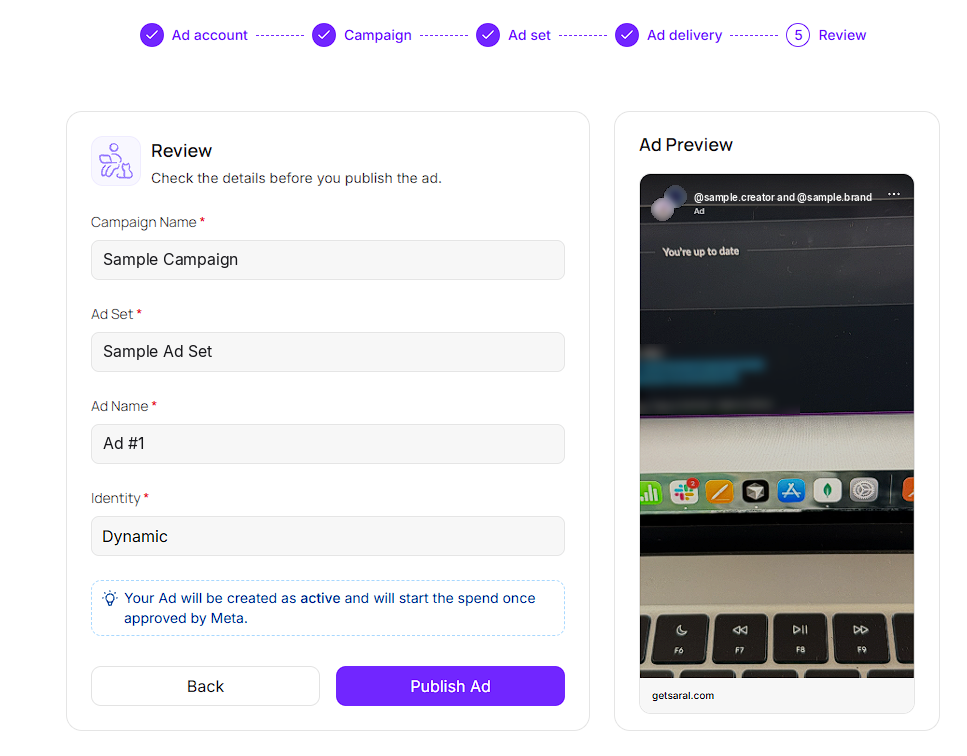
Creating an ad is a simple 5-step process.
1. Ad account: Select the Meta ad account this ad will run from.
2. Campaign: Choose an existing campaign.
3. Ad set: Choose an existing ad set.
4. Ad delivery: Set the ad partner, ad name, and whose identity runs the ad. For content, you can either:
Use existing post, selecting from a dropdown of that creator's tracked content on PULSE, or
Upload media, which means the creator doesn't need to have posted the content at all.
On this step you can also turn on AdShare, which shares a percentage of the ad's spend, sales, or pay-per-sale with the creator as a flat-fee payout. You can set the percentage and an optional cap.

5. Review. Check the campaign name, ad set, ad name, and identity, then click Publish Ad.
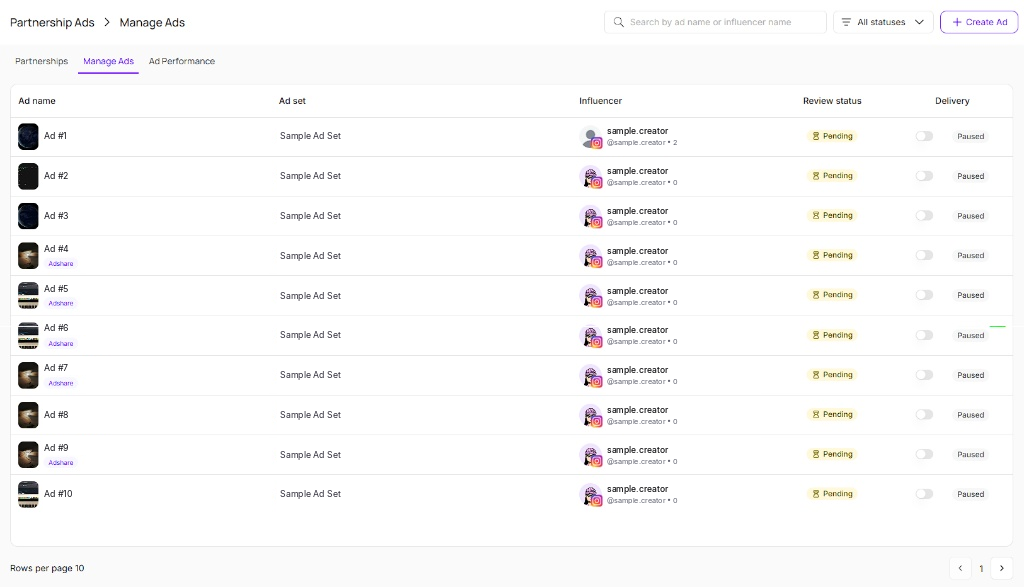
The Manage Ads tab lists every ad you've created, with its ad set, influencer, review status, and delivery toggle, so you can see at a glance what's live and what's still pending Meta's review.
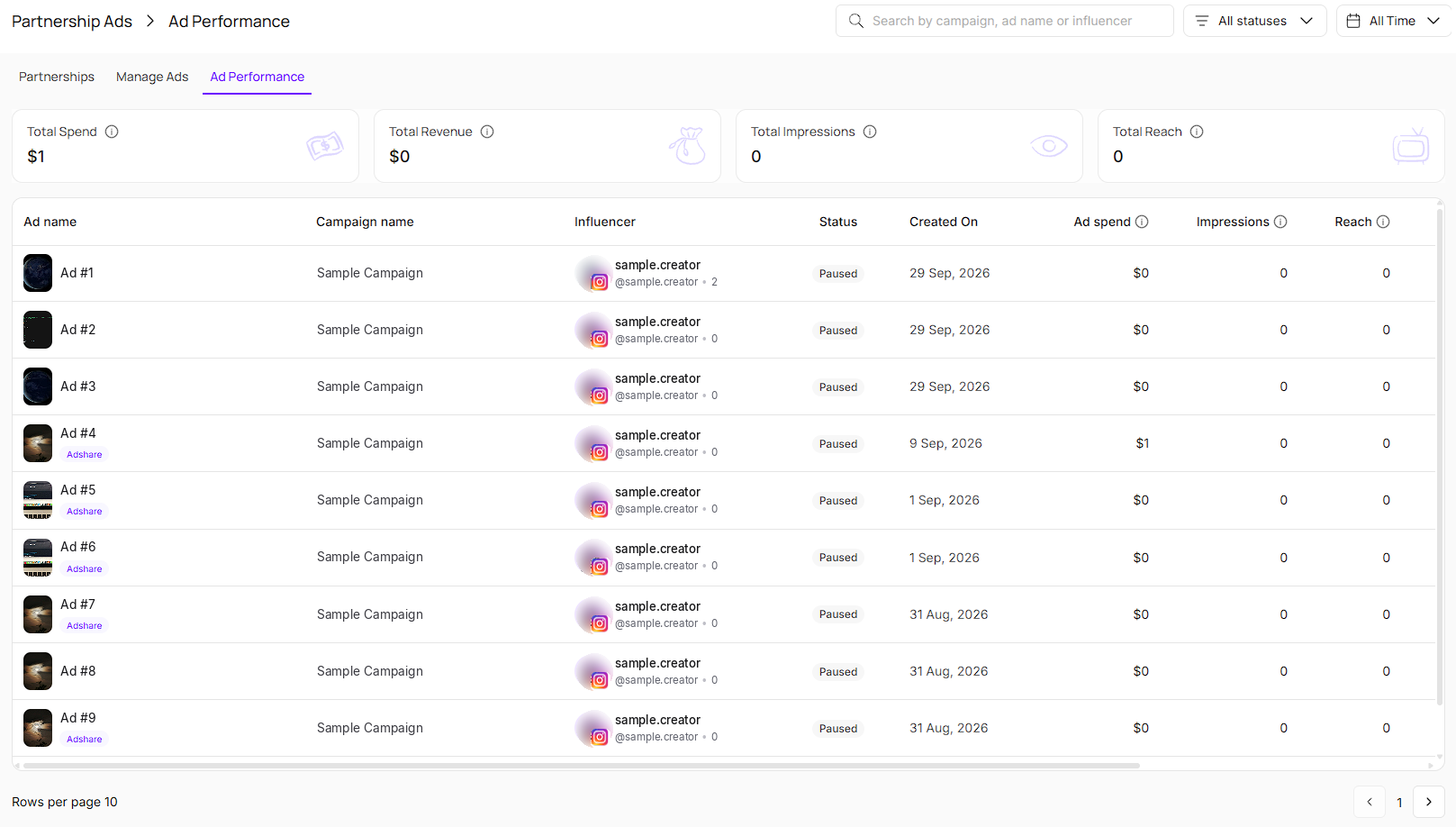
The Ad Performance tab shows how your Partnership Ads are performing, both as totals and ad-by-ad.
Per-ad columns:
Ad spend — amount spent running the ad
Impressions — number of times the ad was shown on a screen
Reach — number of unique accounts that saw the ad atleast once
CTR — click-through rate
CPC — cost per link click
Revenue — sum of total purchase conversion value
ROAS — return on ad spend
Partnership Ads lets brands turn proven organic content into paid media without re-shooting anything or chasing the creator for a new post. Because you can upload media directly in the Ad Delivery step, you're not even limited to content the creator has already posted, you're just using their account's identity to run it.
AdShare gives brands a built-in way to keep creators invested in an ad's performance, since the creator earns more the better it does. And because Ad Performance sits right next to the rest of PULSE, there's no jumping into Meta Ads Manager just to see how a whitelisted ad is doing.
Still need help?
Reach out anytime to our Support team using the button at the bottom-right corner of your dashboard, or email us at [email protected]