Shoppable Feeds let you embed your tracked UGC directly on your Shopify storefront as a live feed, with products tagged on each post so shoppers can go straight from content to purchase. You build the feed in PULSE, customize it, and publish it with a short code snippet.
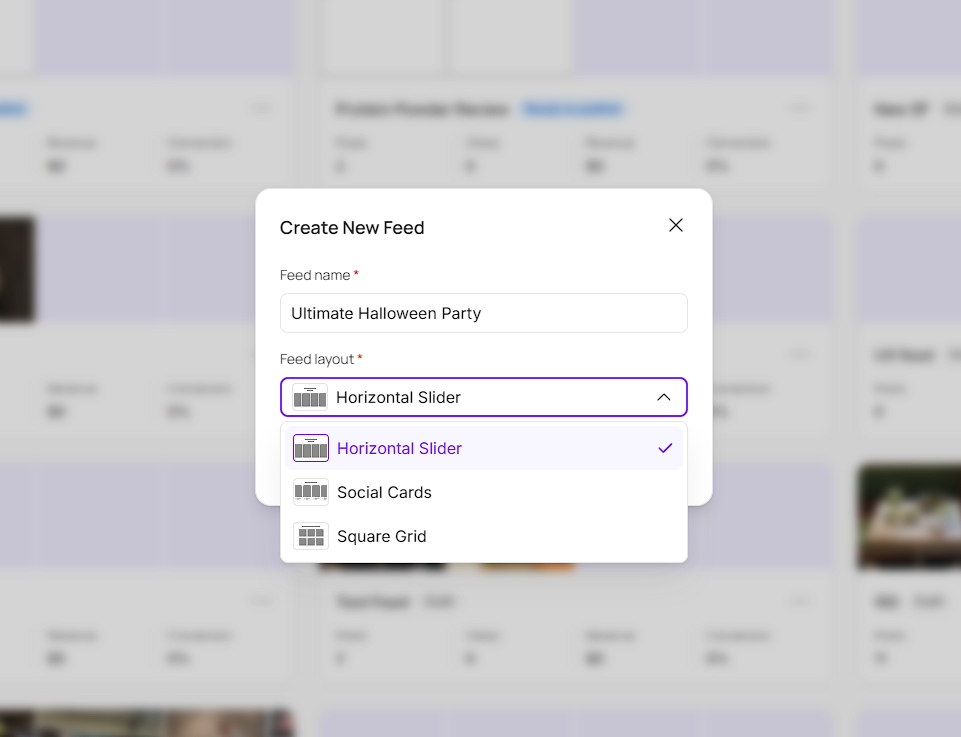
Go to Shoppable Feeds and click Create New Feed.
Enter a Feed name.
Choose a Feed layout: Horizontal Slider, Social Cards, or Square Grid.
Click Add posts, select the posts you want in the feed, and click Add.
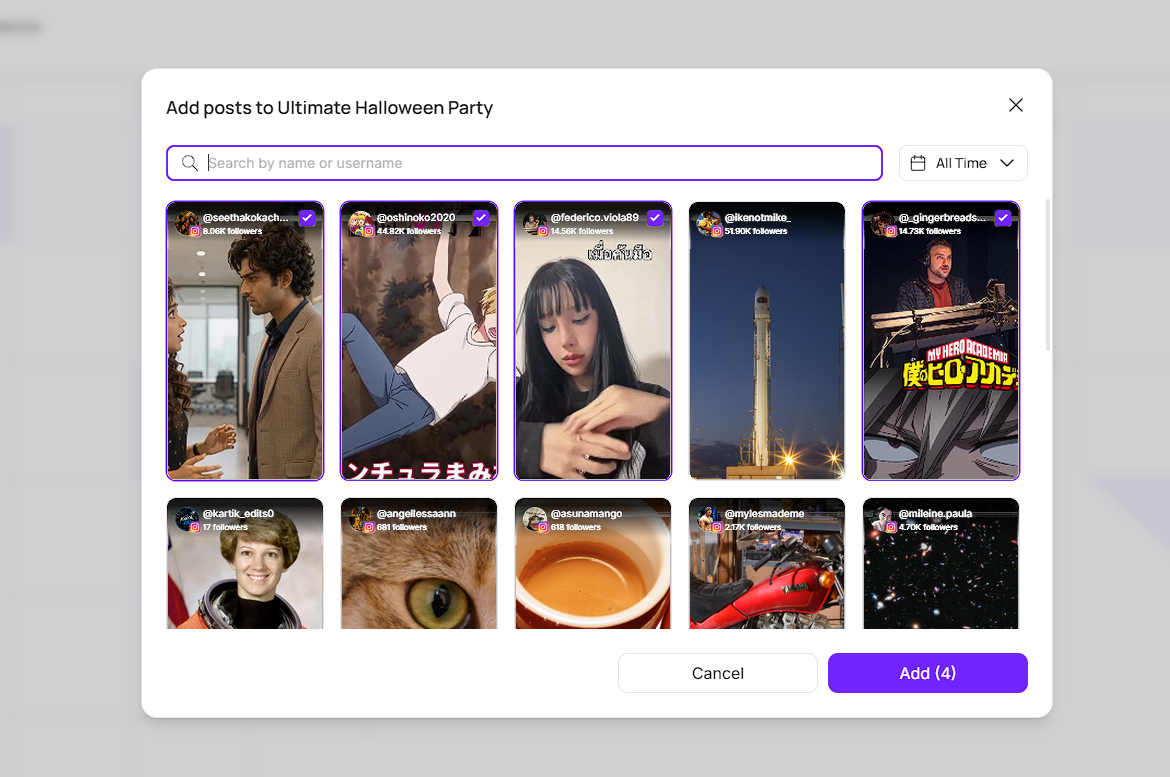
Every post in a feed needs products tagged on it before you can publish. The Content tab shows your progress, for example 0/4 tagged.
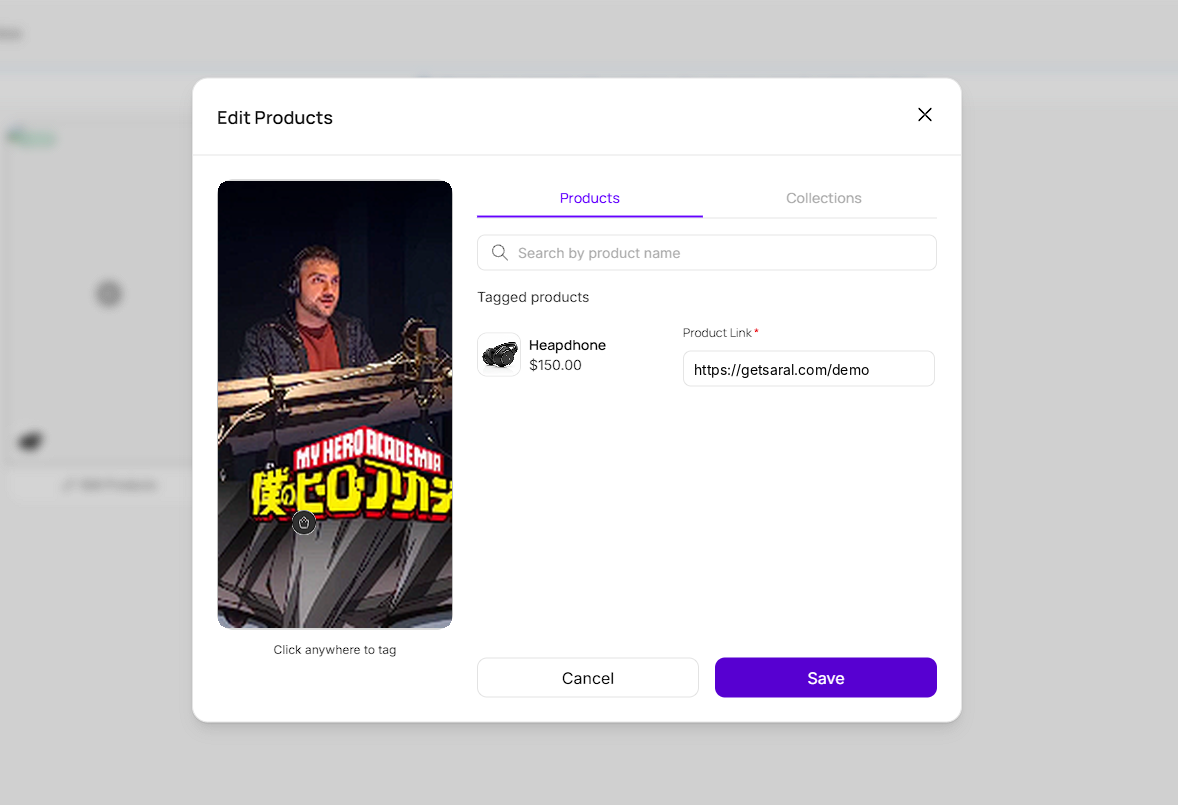
Click Tag Products on a post, or select several posts and click Tag Products to work through them in one go.
Click anywhere on the post to place a tag, then drag it to the spot you want.
Search for a product by name, or switch to Collections to tag a whole collection.
Add a Product Link for each tagged product.
Click Save.

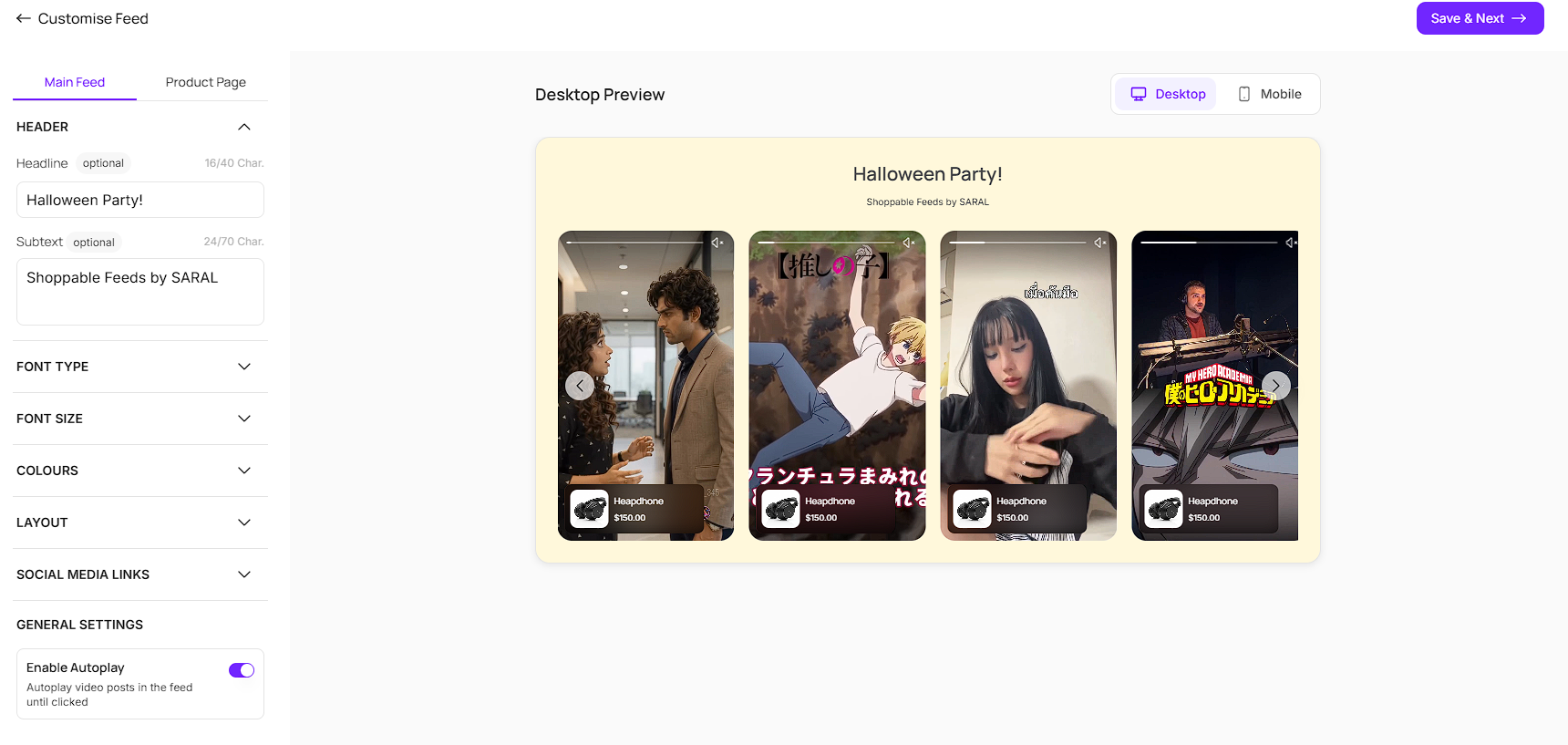
Customization has two parts, each with its own tab: Main Feed and Product Page. Use the Desktop and Mobile toggles to preview how each one looks.
The Main Feed is the feed shoppers see on your page. You can change:
The Header, including an optional headline and subtext
Font type and font size
Colours
Layout
Social media links
Enable Autoplay, which plays video posts in the feed until they’re clicked
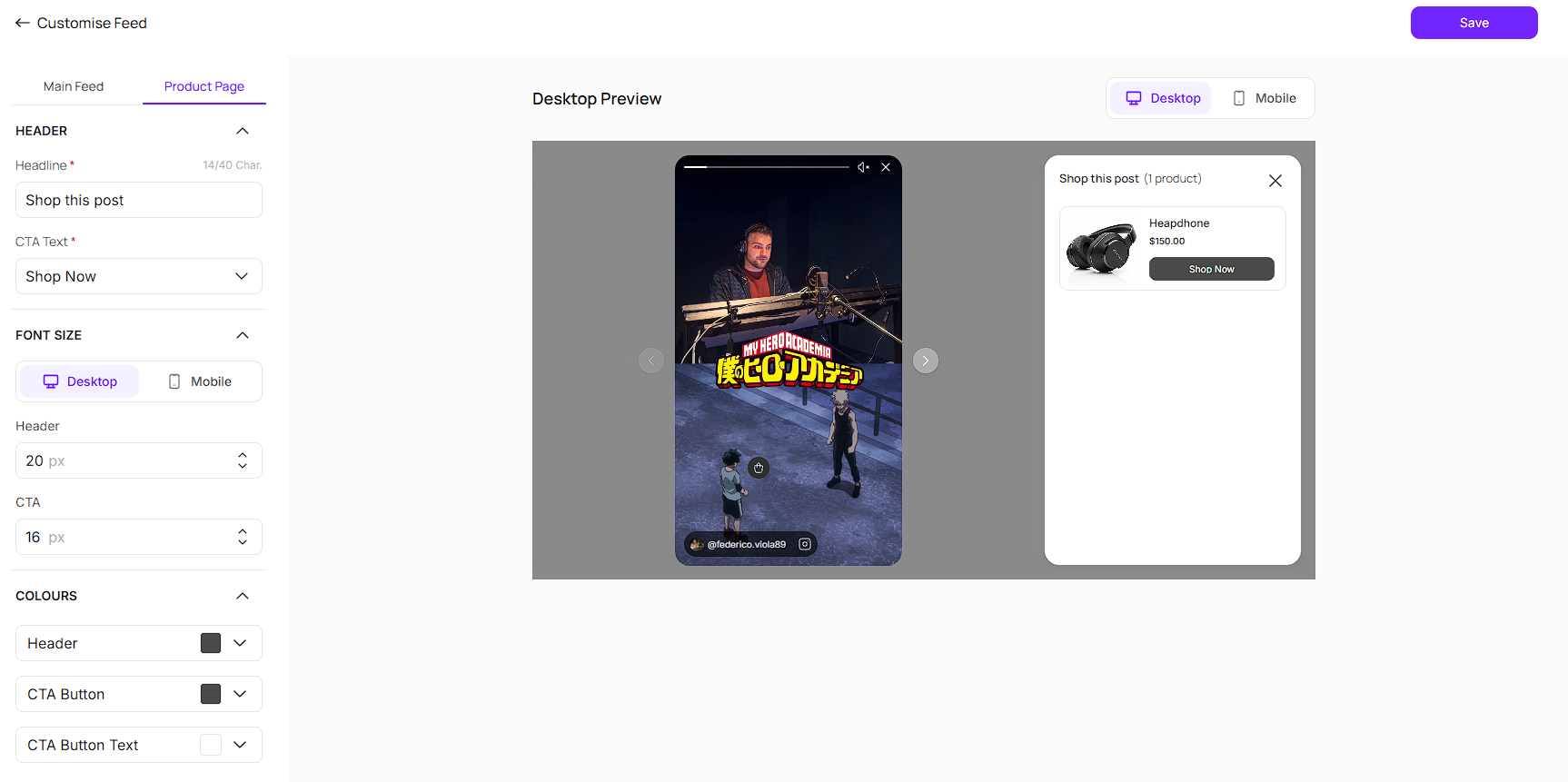
Product Page is what opens when a shopper clicks a post. You can change:
The Header headline
The CTA text, for example Shop Now
Font size for the header and CTA, set separately for desktop and mobile
Colors for the header, CTA button, and CTA button text

Publishing adds the feed to your Shopify store using a code snippet.
Click Copy to copy the code.
In Shopify, go to your store and click Edit theme.
Navigate to the page where you want the feed (Home, Product, or any page).
Click Add Section, then Custom Liquid.
Paste the code and click Save.
You can also click Open Shopify from the publish screen to jump straight to your store.
Most UGC ends up sitting in a dashboard, far from the place where a shopper decides to buy. Shoppable Feeds moves it onto the storefront itself, so the same content a brand is already tracking becomes social proof right where it counts. Because products are tagged on each post, shoppers can go from watching a creator to buying in a couple of clicks. And because publishing is just a snippet pasted into your theme, there’s no developer needed to get a feed live.
Still need help?
Reach out anytime to our Support team using the button at the bottom-right corner of your dashboard, or email us at [email protected].