
Let’s say you uploaded a large CSV list of creators, but:
Some are missing Instagram profile links
Others don’t have email addresses
A few lack updated follower counts
The Enrich feature in SARAL helps you automatically fill in those missing details—like email addresses, profile links, follower count, first names, and more—without the need for manual research.
What Does Enrich Do?
When you click the Enrich button on a list, SARAL will scan the selected profiles and auto-populate any missing data—saving you hours of manual work.
How to Use Enrich
Go to the Lists section
Locate the list you’ve uploaded
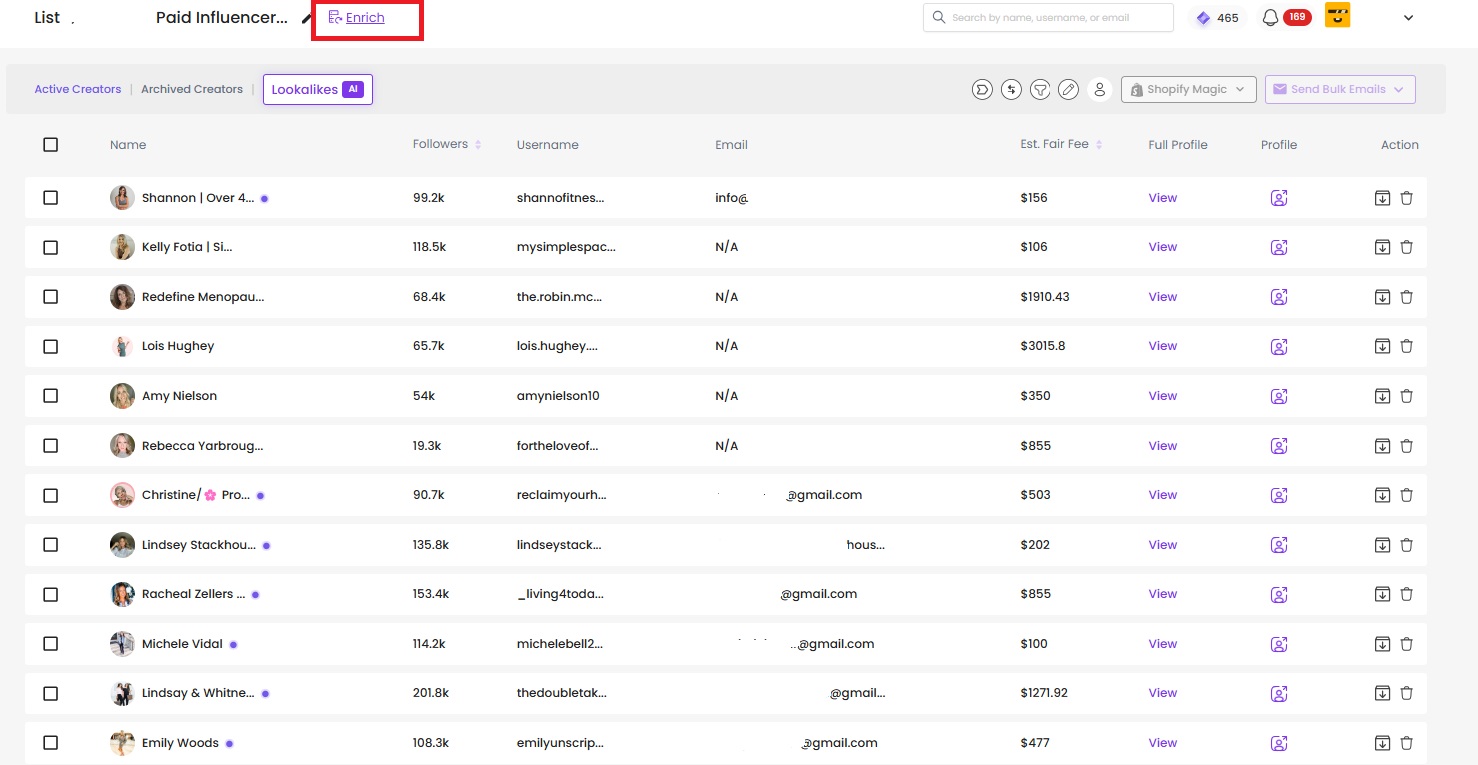
Click the Enrich button at the top of your list
That’s it! SARAL will begin enriching the profiles with all available data—such as email, followers, names, and more
Important Notes
Enriching a profile costs 1 Ratna per profile
You’ll only be charged for the profiles you choose to enrich
Make sure your spreadsheet is properly formatted before enriching (see Importing Influencers Guide for more)
Still need help?
Reach out anytime with our helpful Support team using the button at the bottom-right corner of your dashboard, or email us at [email protected].